The OCR API for PDFs, images, scans, and handwriting.
Send documents through one async API and choose the result shape per job: raw page text for search, or schema-shaped JSON for fields, tables, and line items. Printed or handwritten, scanned or photographed. Built for production with signed webhooks, idempotency, and rate-limit headers.
Get started today for free. No credit card required.
Live demo
Try it on a real document.
Run OCR on a sample document, or drop in your own. No sign-up, no API key.
Or run it on your own document
Drop a document here
PDF, PNG, JPEG, TIFF, WebP, or BMP. Up to 4 MB, single page.
Or try a sample
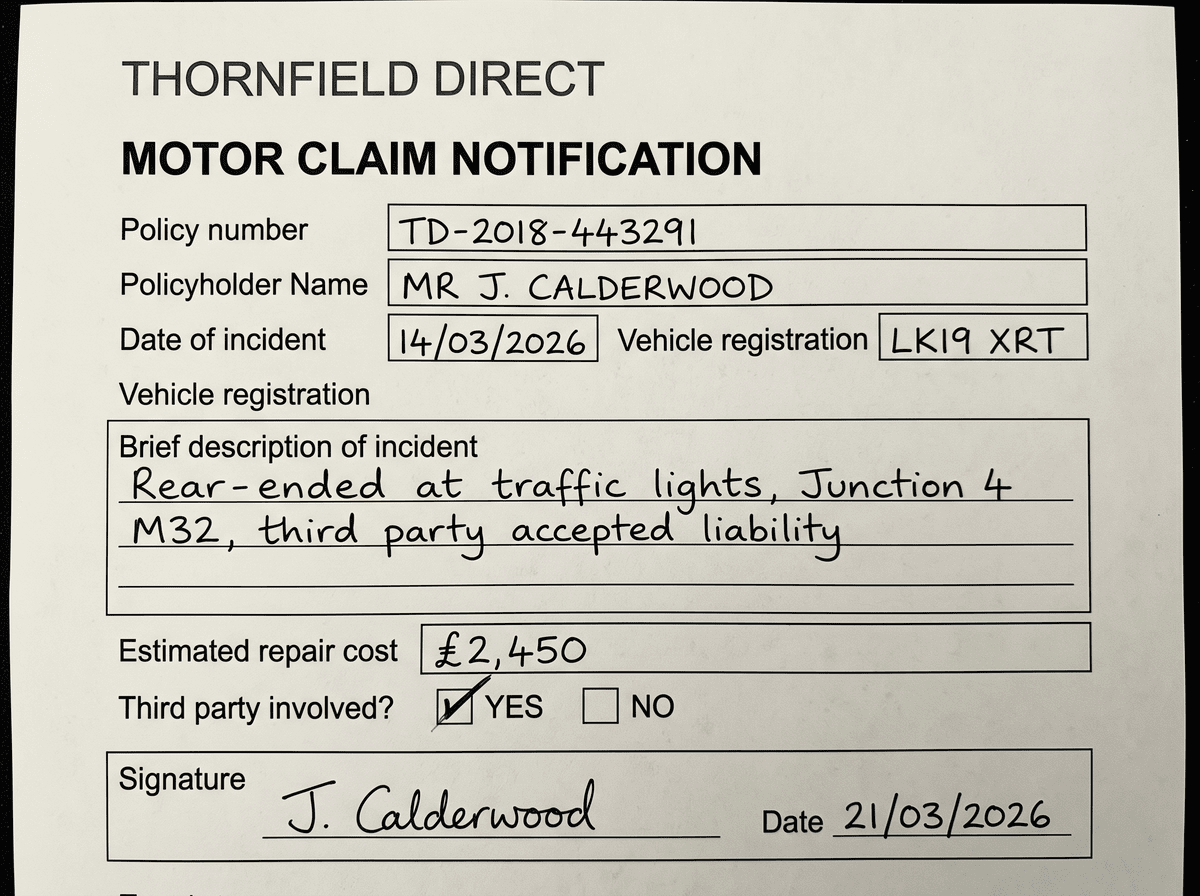
See a scanned document become plain text.
Use simple OCR when your app needs searchable text, audit records, quoting, summarisation, or downstream LLM input. The response keeps text grouped by page.
MOTOR CLAIM NOTIFICATION
Policy number: POL-418209
Claimant: Daniel Harper
Incident date: 14/03/2026

Vehicle damage
Front bumper and left headlamp
reported after low-speed collision.

Estimated repair cost: $1,240See one document become structured JSON.
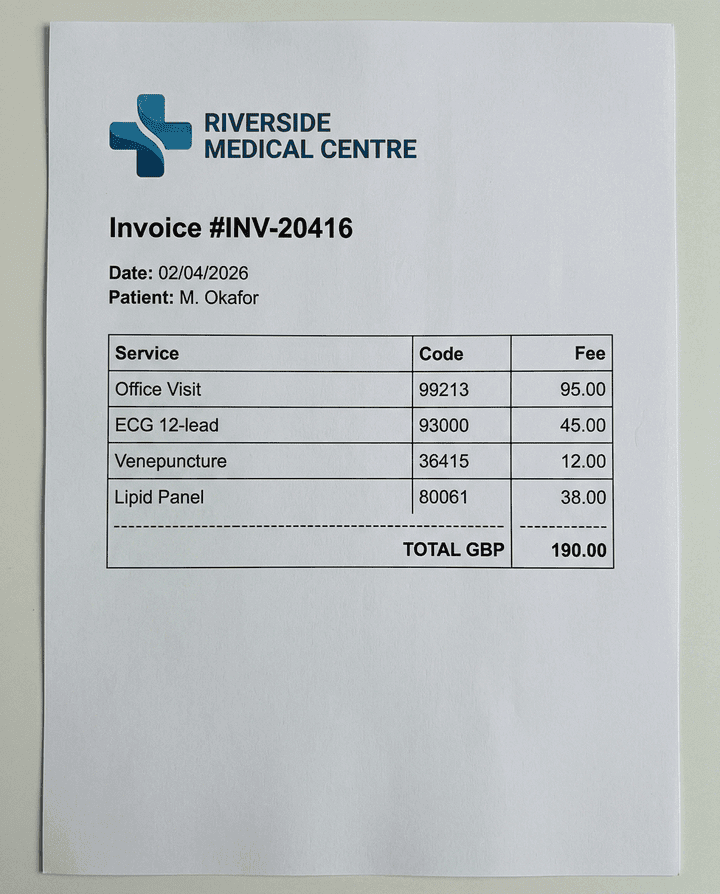
Start with the source document your customer uploads. OCRWell reads the page and returns text or typed fields in the shape your app expects.
{
  "data": {
    "provider": "RIVERSIDE MEDICAL CENTRE",
    "invoice_id": "INV-20416",
    "date": "02/04/2026",
    "patient": "M. Okafor",
    "line_items": [
      {
        "code": "99213",
        "description": "Office Visit",
        "fee": "95.00"
      },
      {
        "code": "93000",
        "description": "ECG 12-lead",
        "fee": "45.00"
      },
      {
        "code": "36415",
        "description": "Venepuncture",
        "fee": "12.00"
      },
      {
        "code": "80061",
        "description": "Lipid Panel",
        "fee": "38.00"
      }
    ],
    "total": "GBP 190.00"
  }
}One OCR API for the documents you actually receive.
Production document intake is messier than clean digital PDFs. These all go through the same endpoint with no branching in your code.
Phone photos
Photographed pages arrive skewed, shadowed, and off-centre. Send them as they are: no deskewing, cropping, or contrast correction on your side first.
Scans and faxes
Flatbed scans, faxed pages, and image-only PDFs with no embedded text layer return the same page-by-page text as digital-native files.
Handwriting
Cursive, print, and mixed handwriting on forms, notes, and letters go through the same endpoint and modes as printed documents.
Multi-column layouts
Two-column reports, dense statements, and pages that mix paragraphs with tables come back as clean page text rather than jumbled fragments.
Tables and line items
In structured mode, repeated rows become JSON arrays: invoice line items, bank transactions, and schedules keep their columns.
Screenshots
Screenshots, app exports, and other system-generated images work like any upload. Useful for support tooling and migration jobs where no original file exists.
Upload once. Ask for text or structured JSON.
Create a short-lived upload URL, PUT the file, then submit it for OCR. Text mode returns page-by-page text. Structured mode follows the schema you send and returns JSON your app can write straight into its workflow.
# Submit an uploaded PDF for text extraction
$ curl -X POST https://api.ocrwell.com/v1/documents \
    -H "X-API-Key: $OCRWELL_KEY" \
    -H "Content-Type: application/json" \
    -d '{
      "upload_id":"upl_01H7",
      "filename":"claim.pdf",
      "mode":"text"
}'# Submit the same endpoint with a schema
$ curl -X POST https://api.ocrwell.com/v1/documents \
-H "X-API-Key: $OCRWELL_KEY" \
-H "Content-Type: application/json" \
-d '{
"upload_id":"upl_01H7",
"filename":"invoice.pdf",
"mode":"structured",
"schema":{
"supplier_name":"",
"invoice_number":"",
"invoice_date":"",
"currency":"",
"line_items":[
{
"description":"",
"quantity":"",
"amount":""
}
],
"total":""
}
}'{
"job": {
"id": "019539a6-6c3d-7e5f",
"status": "completed",
"mode": "structured",
"page_count": 2
},
"result": {
"data": {
"supplier_name": "RIVERSIDE MEDICAL CENTRE",
"invoice_number": "INV-20416",
"invoice_date": "02/04/2026",
"currency": "GBP",
"line_items": [
{
"description": "Office Visit",
"quantity": "1",
"amount": "95.00"
},
{
"description": "ECG 12-lead",
"quantity": "1",
"amount": "45.00"
},
{
"description": "Venepuncture",
"quantity": "1",
"amount": "12.00"
},
{
"description": "Lipid Panel",
"quantity": "1",
"amount": "38.00"
}
],
"total": "190.00"
}
}
}What developers need from an OCR API.
Text mode for search
Extract page-by-page text for search indexes, audit trails, document review queues, and LLM pipelines that should receive text instead of document images.
Structured mode for JSON
Send a template or JSON Schema and receive data in the shape your app expects: invoice lines, form fields, customer details, totals, and nested arrays.
Free tier for evaluation
Generate a key and process 200 OCR pages a month on the free forever tier, with no credit card and a hard cap instead of surprise overages. Paid plans start at $20/mo.
Bulk jobs without duplicates
Use idempotency keys when a batch worker retries after a timeout. Rate-limit headers and Retry-After responses let your client pace large backfills safely.
Polling or signed webhooks
Poll GET /v1/jobs/:id when a user is waiting in your app. For background workflows, receive HMAC-signed callbacks when OCR jobs complete or fail.
Short-lived document storage
Uploaded documents are deleted after processing, and results expire after retrieval. Customer documents are not used to train AI models.
OCR API questions.
What does the OCR API return?
In text mode it returns a pages array with the text from each page. In structured mode it returns a result.data object that follows the template or JSON Schema you submitted.
Which file types does the OCR API support?
OCRWell accepts PDF, JPEG, PNG, TIFF, WebP, and BMP files up to 20 MB. It handles digital PDFs, scanned PDFs, phone photos, screenshots, faxes, and other image-based documents.
Does the OCR API read handwriting?
Yes. Cursive, print, and mixed handwriting return through the same endpoint and modes as printed documents. If handwritten forms or notes are your main workload, the handwriting OCR API page covers that use case in more detail.
Can I extract JSON instead of plain text?
Yes. Use structured mode and provide either a simple template object or a JSON Schema. Nested objects and arrays are supported, so repeated line items and table rows can come back as arrays.
Should my integration poll or use webhooks?
Use polling when a user is waiting on a page for the result. Use webhooks for batch jobs, queue workers, and async pipelines. Webhook callbacks are signed with HMAC-SHA256.
How quickly do OCR jobs complete?
Jobs run asynchronously and most single documents complete within seconds. Poll the job endpoint while a user waits in your app, or take the webhook callback and let batch work drain at the pace your rate limits allow.
How much does the OCR API cost?
Pricing is per page processed. The free forever tier covers 200 OCR pages per month with no credit card and a hard cap, so evaluation costs nothing. Paid plans start at $20 per month; the pricing page has volume rates.
Why use an OCR API instead of an open-source library?
A recognition library gives you raw text from clean images. You still have to build image preprocessing, layout handling, handwriting support, structured extraction, and the queueing to run it all at scale. OCRWell puts that behind one endpoint, so integration is an HTTP call rather than a pipeline you maintain.
Does OCRWell store my documents or use them for training?
Uploaded documents are deleted after processing. Results are available briefly after retrieval and then expire. Customer documents are not used to train AI models.
Start free. Pay only when you scale.
- No credit card required.
- Hard cap, no overage charges.
- Paid plans from $20/mo when you grow.
Explore nearby OCR workflows.
PDF to text API
Convert PDFs, including scanned and image-based files, into page-by-page text.
Image to text API
Read text from phone photos, screenshots, signage, scans, and image uploads.
Handwriting OCR API
Transcribe cursive, print, and mixed handwriting from forms, notes, and letters.
Scanned PDF OCR API
Convert image-based and faxed PDFs that have no embedded text layer.
Invoice OCR API
Extract supplier details, invoice numbers, tax, totals, and line items.
Receipt OCR API
Parse merchant details, purchased items, tax, and totals from receipt photos.
Bank statement OCR API
Extract account metadata, balances, and transaction rows from statements.
Table extraction API
Turn repeated rows in documents into structured JSON arrays.
Build OCR into your product today.
Generate an API key, upload your first PDF or image, and get text or structured JSON back in seconds. Free forever tier covers 200 OCR pages per month.